

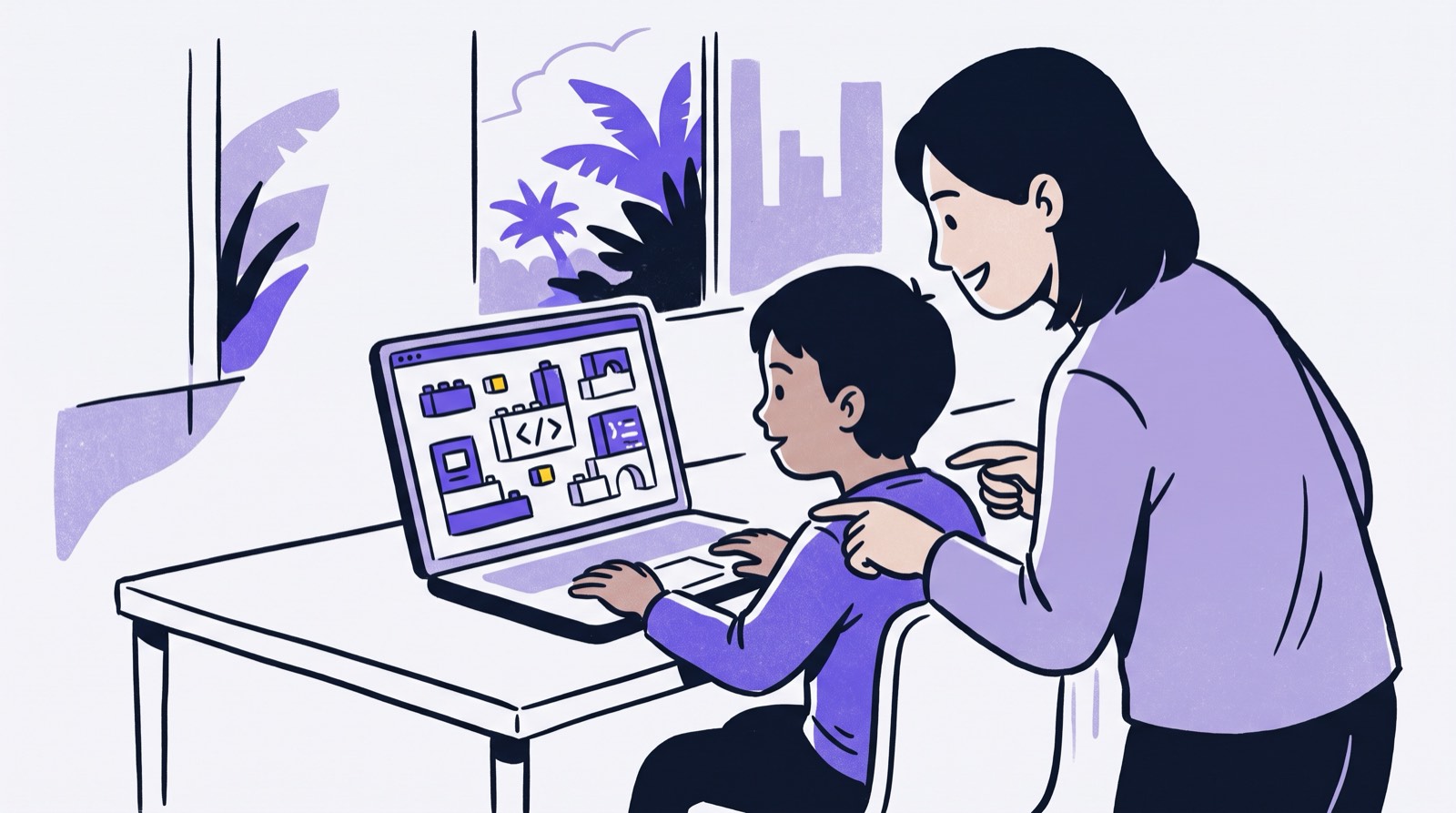
Nearly every education platform on the market now advertises a personalised learning system. If you are comparing enrichment options in Malaysia, you have probably read the same promise a dozen times: an adaptive algorithm will assess your child, tailor every lesson, and unlock their potential.
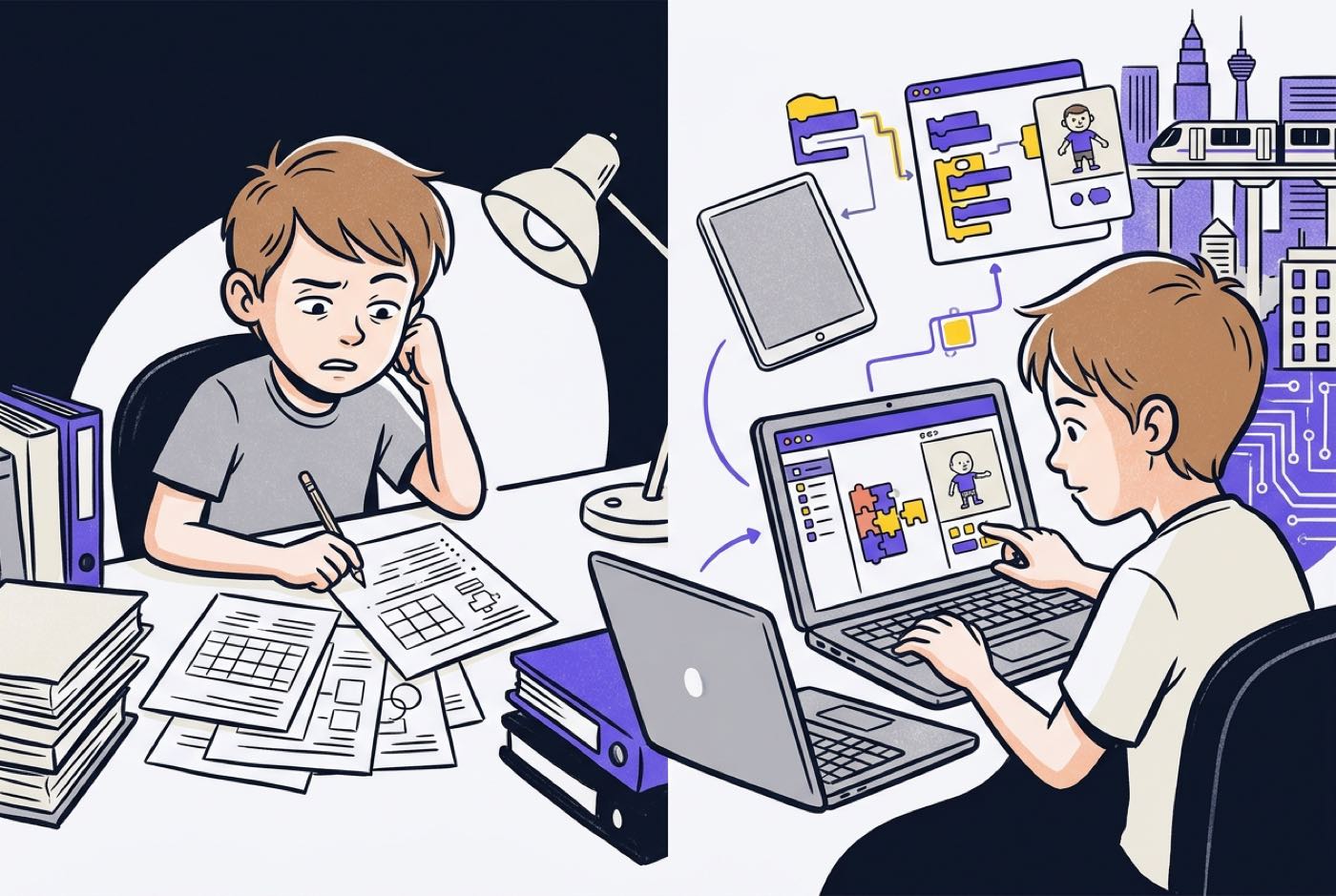
Then the child actually sits down with the product. What follows is often multiple-choice drills, arithmetic flashcards, or a pre-recorded video watched alone in a bedroom. Attention drifts within a few weeks, and parents are left asking a fair question, is personalised learning a genuine pedagogical shift, or is it self-study with better branding?
Personalisation, done properly, has very little to do with leaving a child alone with drill software. It has everything to do with matching instruction to how that particular child thinks and builds. What follows is a look at what the research actually found, where automated software tends to fail, and how AI tutors are changing what a child can do with math, artificial intelligence, and technology.
Key Takeaways
| Aspect | Traditional Software Drills | True Personalised Learning |
|---|---|---|
| Primary Delivery | Algorithmic multiple-choice questions and flashcards | Project-first building supported by interactive guidance |
| Role of Technology | Automating repetitive practice drills | Accelerating logic, problem-solving, and creation |
| Student Progression | Rigid speed levels based on answer accuracy | Mastery-based progression matched to individual conceptual understanding |
| Instructor Involvement | Minimal or non-existent (self-learning model) | Live mentorship, coaching, and real-time guidance |
| Math & Tech Focus | Rote calculation and isolated syntax memorisation | Applying math and AI tools to construct working digital projects |
Table of Contents
- The Marketing vs. Reality of Personalised Learning
- What the Evidence Shows About Personalised Learning
- Three Common Myths About Personalised Learning Systems
- The Trap of Isolated Screen-Based Self-Pacing
- Comparison: Traditional Software Drills vs. True Project-Based Personalisation
- The Personalised Learning Pathway
- Personalised Learning in the Malaysian Context
- The Role of AI Tutors: Accelerating Real Skills
- How Kidocode Personalises Learning for Every Child
- How Parents Can Evaluate Personalised Learning Programmes
- Printable Personalised Learning Parent Evaluation Checklist
- Frequently Asked Questions
- References
The Marketing vs. Reality of Personalised Learning
The original idea behind personalised learning is sound. Children learn at different speeds, arrive with different strengths, and respond to different explanations. A classroom of thirty students working through a fixed national syllabus has to aim somewhere near the middle. Personalisation was meant to break that constraint.
The commercial market has since stretched the term until it means almost nothing. Plenty of digital products describe fairly basic adaptive software as a full personalised learning system. The mechanism underneath is usually the same: the platform checks whether the answer was right, then serves an easier question or a harder one.
Adaptive testing is a reasonable assessment tool. It is not instruction. When UNESCO reviewed 23 primary mathematics applications, the vast majority turned out to focus on basic drill and practice rather than higher-order skills [1]. A digital drill does not teach a child to think, analyse, or build. It automates the worksheet, nothing more.
Genuine personalisation changes the teaching model itself, how a concept gets explained, what real-world thing it connects to, and how much support the child needs to finish something ambitious.
What the Evidence Shows About Personalised Learning
Vendor claims are easy to find. Independent research is more useful, and it points in two directions at once: the model works, and the technology alone does not.
The RAND Corporation ran a multi-year evaluation of K-12 students in personalised learning environments across the United States. Students in those schools gained roughly 3 percentile points in mathematics compared with matched groups of similar students [2]. The gains showed up among low performers and high performers alike, which suggests tailored instruction helps across the achievement spectrum rather than rescuing only the strugglers [2].
The counterweight comes from the 2023 UNESCO Global Education Monitoring Report, which found that distributing hardware or software without deep pedagogical integration simply does not move learning outcomes [1]. Peru handed out more than one million laptops to students without changing instructional practice; academic improvement was zero [1]. UNESCO also reported that around two-thirds of education software licences bought by public school systems go completely unused [1].
A scoping review of 29 empirical studies in Education Sciences catalogued why adaptive technology stalls in practice: the software is complex, teachers are under-trained, and instructor time gets stretched thin [3]. The same review noted what happens to students when a tool recommends content beyond their comprehension or outside the course syllabus with no human scaffolding, stress, confusion, and a drop in confidence [3].
Read together, the studies say something fairly blunt. Technology amplifies whatever pedagogy is already there. A personalised learning system works when adaptive tools sit alongside skilled human mentorship and something worth building.
Three Common Myths About Personalised Learning Systems
Three misconceptions come up repeatedly when parents compare programmes [4]. Clearing them up makes the choice a lot easier.
Myth 1: Personalised learning means software replaces the teacher
The worry here is understandable, sign up, and your child gets handed to an algorithm. But treating personalised learning as a synonym for computer-based instruction is simply wrong [4]. Technology is good at diagnostic feedback and flexible content delivery. Small-group coaching, pushing a child toward critical thinking, and the encouragement that keeps them going all still require a person [4].
Myth 2: Personalised learning requires children to work in total isolation
Some screen-based platforms do lock children into solo workspaces grinding through linear modules. That is a design choice, not a requirement, real personalisation does not mean students work by themselves all the time [4]. Problem-solving ability grows through peer interaction, shared builds, and debugging someone else's broken code. The entry point and the pace should be tailored; the work itself can be collaborative.
Myth 3: Personalised learning is just about letting kids self-pace
Self-pacing is part of the picture, but on its own it accomplishes very little [4]. What carries far more weight is the link between the learning and the student's own goals, interests, and desire to make something [4]. Left unstructured, self-pacing tends to produce procrastination or surface-level engagement.

The Trap of Isolated Screen-Based Self-Pacing
Strip personalisation down to unguided self-pacing on an app and outcomes tend to suffer. Education Week, synthesising reporting on personalised learning initiatives, noted that teachers watching students move entirely at their own pace through online lessons, with no structured benchmarks, found that many students progressed far too slowly [5].
Hit a hard concept on a screen with nobody around, and children typically do one of two things:
- The guessing loop: clicking through multiple-choice options at speed to clear the screen, with none of the underlying logic processed.
- Avoidance and momentum loss: running into a conceptual wall, losing confidence, and slowing down until the learning stops altogether.
This is the pattern behind the subscription maths or coding app that gets abandoned in week three. The child is not lazy. Passive software has no way to hold a conversation, debug alongside them, or tell them their approach was clever even though the code broke.
For a detailed exploration of how passive screen habits differ from structured technical education, read our analysis on screen time vs coding time.
Comparison: Traditional Software Drills vs. True Project-Based Personalisation
The table below outlines the structural differences between traditional drill-focused platforms and a modern, project-first personalised learning environment.
| Feature | Automated Drill Software | Project-Based Personalised Learning |
|---|---|---|
| Primary Activity | Answering pre-set quizzes and flashcards | Building games, AI models, and web applications |
| Math Integration | Rote arithmetic and formula memorisation | Applied math (coordinates, vectors, logic) built into code |
| Pacing Control | Fixed algorithmic queues based on correct/wrong answers | Dynamic milestone progression adapted to child's project goals |
| Role of AI | Basic rule-based question selection | Interactive 1-on-1 AI tutoring, code assistance, and debugging |
| Instructional Support | Automated grading scripts only | Dedicated live trainers paired with AI co-pilots |
| Outcome | Temporary test preparation | Real working projects, computational thinking, and AI literacy |
The Personalised Learning Pathway
A working personalised learning system moves a child from a first exploratory build to independent creation, with AI assistance and live coaching operating in parallel. The stages run as follows.
| Stage | What happens | What comes next |
|---|---|---|
| 1. Initial diagnostic build | The child makes something small so the trainer can see how they actually think | Feeds the baseline assessment |
| 2. Identify skill baseline | Trainer maps current logic, math, and technical ability | Sets the difficulty of the first real project |
| 3. Assign personalised project | A build chosen around the child's interests and current level | Work begins with AI support |
| 4. 1-on-1 AI tutor assistance | The AI tutor answers questions, explains errors, and unblocks syntax | Trainer reviews the work |
| 5. Live mentor feedback | A human reviews the code, the logic, and the reasoning behind both | Mastery check |
| 6. Mastery check | Has the concept landed? | No → return to stage 3 with adjusted scaffolding. Yes → advance to a real-world build |
The loop back to stage 3 matters. When a concept has not landed, the system changes the project scaffolding instead of sending the child back through identical flashcards.
Personalised Learning in the Malaysian Context
Malaysian family schedules are already full. Between primary school homework, secondary assessments such as KSSR, SPM, or IGCSE, and whatever extracurriculars have survived the term, children do not have spare hours lying around.
Parents tell us this directly in trial sessions at Solaris Mont Kiara, Sunway Nexis, and Penang. The complaint about conventional tuition centres is almost always the same, more worksheets stacked on top of a workload that was already too heavy. A child who is struggling with math at school and then spends two more hours on paper-based math tuition usually ends up more anxious about math, not less.
Malaysia's Digital Education Policy sets out to cultivate digitally savvy, innovative learners. Secondary synthesis research on the country's digital education transformation, however, points to infrastructure and digital literacy gaps that persist across schools [6]. Many schools lean on asynchronous resources or standardised IT modules that cannot flex to an individual student's pace [6].
Out-of-school enrichment fills that gap, though only if it works differently from school. Personalised learning should not arrive as extra academic pressure. Its job is to convert passive screen time into building time. Present a math or technology concept inside something the child wants to make, and the syllabus content goes in without the lecture.
To understand how personalised math builds compare directly with standard tutoring, read our detailed comparison on math tuition vs learning math by building.
The Role of AI Tutors: Accelerating Real Skills
Generative AI has changed the economics of personalisation. One-to-one instruction used to require one human tutor per student, which put it out of reach for most families.
A dedicated AI tutor now sits with every child. A well-configured one does not hand over answers. It asks the guiding question, translates a syntax error into plain language, and pitches its explanation at the child's age and interests.
Moving Beyond the Slow Block-Coding Ladder
Coding education has long insisted on a rigid progression measured in years: Scratch first, for a long time, before anyone touches Python or JavaScript.
That ladder no longer holds. With an AI co-pilot handling syntax errors and boilerplate setup, children of eight or nine can read and direct real text-based code far earlier than traditional sequencing allowed. Their attention goes to the logic, the algorithm, and the architecture of the thing they are building, while the co-pilot deals with the punctuation.
Directing AI tools well is itself the literacy that the modern economy runs on. A child who can prompt, steer, and judge AI output has crossed from consuming technology to making it.
To learn more about how artificial intelligence accelerates core learning skills, explore our guide on AI literacy vs coding skills for kids.
How Kidocode Personalises Learning for Every Child
At Kidocode, personalisation is not a tagline bolted onto a drill app. We are Malaysia's coding and AI school for kids aged 5 to 18, with flagship campuses in Kuala Lumpur (Solaris Mont Kiara, Sunway Nexis) and Penang (Q2 Waterfront, Vantage, Icon City), plus a fully interactive live online programme. We make kids AI-savvy, end math-hate, and turn them into active builders.
Three things sit at the centre of the model, and no traditional tuition centre or coding boot camp combines them.
1. AI School First
Children learn to direct artificial intelligence safely and effectively, and AI runs through every track from day one. Students find out how transformer models work, how to engineer a precise prompt, and how to check whether the output is actually true. Safety, ethics, and verification carry the same weight as technical execution.
2. Math Through Builds with a Personalised AI Tutor
Our starting position on math is that the child is fine; the teaching approach wasn't. Abstract formulas on paper are one delivery method among many, and not a particularly good one. We teach the same international math syllabus, aligned with Cambridge, IGCSE, and US Common Core, through interactive builds.
Each student works with a personalised AI tutor pitched to their learning speed. Coordinate geometry does not arrive as a worksheet; it arrives as the problem of positioning a game sprite or working out collision boundaries. Once the math has an immediate purpose, math-hate usually stops within 2 to 4 weeks.
3. Tech Tracks with Free Bundled Coding
Coding syntax is public knowledge now. AI assistants generate basic code on demand, so teaching syntax as the main event no longer makes sense. What we teach is computational thinking, system design, and logical problem-solving.
Six tech tracks are available:
- Python Programming
- Web Development
- Mobile App Development
- Game Engineering
- Electronics & Hardware
- 3D Modelling & Computer Graphics
Since computational thinking is the actual product, coding instruction comes bundled free inside our main educational programmes.
The curriculum was shaped by our founder, Hossein Tohidi, known online as Unclecode. He is a computer scientist and AI researcher, and the creator of Crawl4AI, an open-source web-scraping engine with over 12 million downloads that Fortune 500 companies rely on. Kidocode's curriculum is built around how technology gets made in practice, because that is the work he does.
Since 2014 we have taught over 9,500 students and hold an average parent rating of 4.6 stars. Every session ends with a real artifact the child built.
For parents curious about how adaptive AI tools support daily learning, see our guide on choosing an AI math tutor for kids in Malaysia.
How Parents Can Evaluate Personalised Learning Programmes
If you are assessing an enrichment programme or a digital platform that claims to personalise, ignore the sales page and test four things.
- Demand artifact creation over quiz scores. Ask what the child actually produces. Moving from Level 1 quizzes to Level 2 quizzes is a drill app wearing a different label. Building an app, a game, or a mathematical model shaped by the child's own interests is personalisation.
- Check for live mentor integration. Your child should not be alone in front of a screen. Ask whether experienced trainers read the code, sit through the logic errors with the student, and notice when confidence dips.
- Verify syllabus alignment. Personalised learning that floats free of school does your family no favours. The logic, math, and problem-solving on offer should reinforce international standards such as IGCSE or Cambridge mathematics.
- Observe the child's reaction to mistakes. In a well-designed environment, a bug is information. If your child looks anxious about getting something wrong on the platform, either the pacing or the pedagogy is off.

Printable Personalised Learning Parent Evaluation Checklist
Use this practical checklist when attending trial classes or evaluating digital learning platforms for your child.
- Real Artifact Output: Does the child build an original project (app, game, model) rather than completing automated multiple-choice quizzes?
- Dynamic Pacing: Does the system adapt to the child's actual understanding rather than forcing rigid age-based grade tiers?
- Live Mentor Guidance: Is a human instructor present to coach, guide, and debug when the child encounters conceptual blocks?
- AI Assistant Integration: Does the programme teach the child how to direct AI tools safely and effectively as a learning co-pilot?
Designed, ready to print and sign. We email it to you together with a 5% discount on your next registration.
Frequently Asked Questions
Is personalised learning suitable for a child who struggles with math?
Yes. In most cases the difficulty lies with abstract, paper-based delivery rather than with the child's grasp of numbers. Put math inside a visual project, setting velocity vectors in a game, working out spatial dimensions in a 3D design, and it becomes a tool the child uses to get something done. In our classes, math anxiety typically stops within 2 to 4 weeks once instruction shifts to project builds.
Is personalised learning just self-learning on a computer?
No. Software-only platforms leave children isolated, and isolation produces confusion, fast guessing, or a quiet loss of interest. Real personalised learning pairs adaptive tools such as dynamic AI tutors with active human mentorship. The technology tracks progress and handles syntax support; live trainers supply the coaching, the logical scaffolding, and the encouragement.
Can a 5-year-old or 6-year-old participate in personalised learning?
Yes. For ages 5 to 7, personalisation means visual logic, spatial reasoning, and computational thinking through age-appropriate tools like ScratchJr, Scratch, and simple robotics. As mastery shows up, the pathway introduces text-based concepts and AI co-pilots, gradually, and without the academic pressure.
How does Kidocode's free trial help evaluate personalisation?
The free trial runs up to 2 hours, hands-on. Your child works directly with our trainers and AI learning systems to build a working project in AI, math, or tech. Parents are welcome to watch: see how the trainers adjust to your child's learning style, and look at the finished project yourself. There is no commitment. You can book at any campus or online via our free trial registration page.
Will personalised learning conflict with my child's school workload?
No. Progress is mastery-based rather than deadline-based, so it bends around your family's schedule. Nothing gets added to the homework pile; existing passive screen time gets converted into building hours instead.
References
- UNESCO Global Education Monitoring Report Team. (2023). Global Education Monitoring Report 2023: Technology in education: A tool on whose terms? UNESCO. https://gem-report-2023.unesco.org/
- Pane, J. F., Steiner, E. D., Baird, M. D., Hamilton, L. S., & Pane, J. D. (2017). Informing Progress: Insights on Personalized Learning Implementation and Effects. RAND Corporation. https://www.rand.org/pubs/research_reports/RR2042.html
- Simon, P. D., & Zeng, L. M. (2024). Teachers' Acceptance and Adoption of Adaptive Learning Technologies: A Scoping Review. Education Sciences, 14(12), 1413. https://www.mdpi.com/2227-7102/14/12/1413
- Miller, A. (2019). 3 Myths of Personalized Learning. Edutopia (George Lucas Educational Foundation). https://www.edutopia.org/article/3-myths-personalized-learning/
- Herold, B. (2017). Personalized Learning: Modest Gains, Big Challenges, RAND Study Finds. Education Week. https://www.edweek.org/technology/personalized-learning-modest-gains-big-challenges-rand-study-finds/2017/07
- Muhammad Zaki, M. Z. A., & Kamsin, I. F. (2025). Malaysia's Digital Education Transformation in Addressing Post-Pandemic Challenges. International Journal of Modern Education, 7(27), 324–339. https://www.researchgate.net/publication/397709609_MALAYSIA'S_DIGITAL_EDUCATION_TRANSFORMATION_IN_ADDRESSING_POST-PANDEMIC_CHALLENGES
- Selwyn, N., Hillman, T., Eynon, R., Ferreira, G., Knox, J., Macgilchrist, F., & Sancho-Gil, J. M. (2020). What's next for Ed-Tech? Critical hopes and concerns for the 2020s. Learning, Media and Technology, 45(1), 1–6. https://www.tandfonline.com/doi/full/10.1080/17439884.2020.1694945